


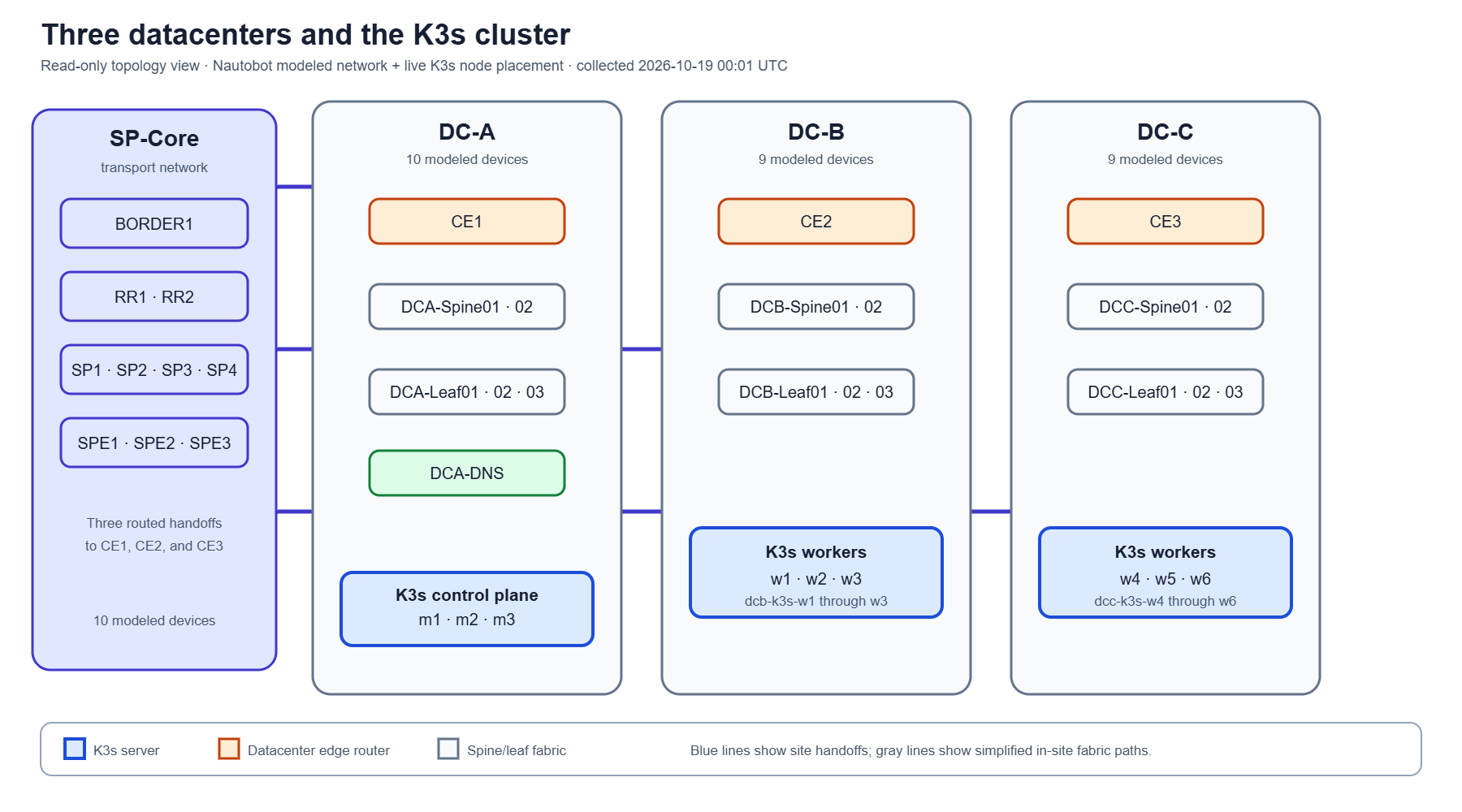
In Parts 6 and 7, we built out the lab and its monitoring. Now we have something to investigate.
The dashboard showed a problem with the storage behind VictoriaLogs, the application collecting our lab’s logs. Logs are the records that help us understand what happened when something goes wrong.
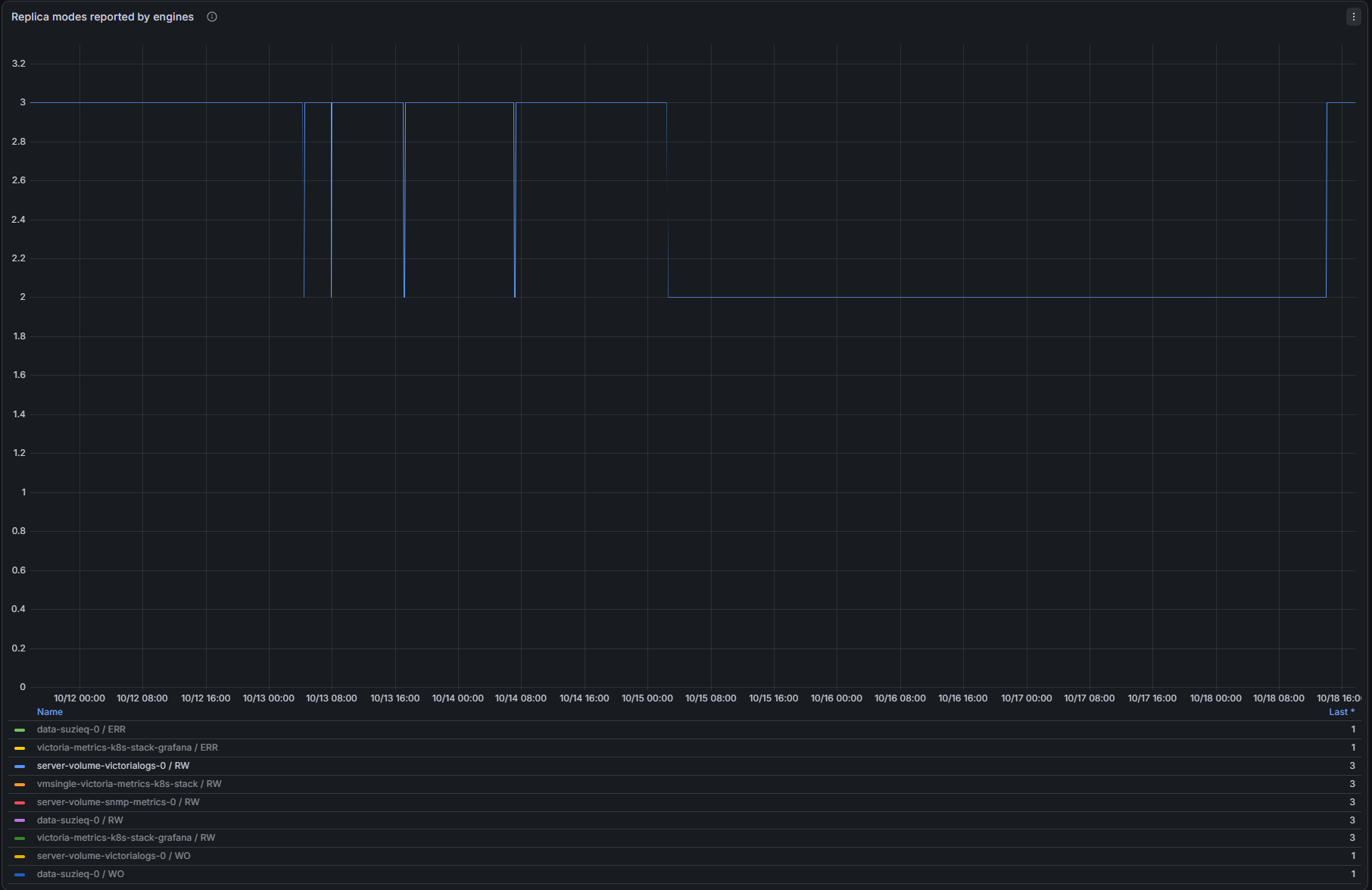
The application was still running. But Longhorn, the software managing its storage, was supposed to keep three copies of its data. We only had two.
That gave us a straightforward question: why couldn’t it make the third copy?
Why bring NetClaw into this?
I’m using NetClaw, John Capobianco’s open-source network engineering agent. An agent connects an AI model to tools so it can gather information and help work through a task.
In this investigation, that meant looking at the application, its storage, the machines holding the copies, and the settings deciding where another copy could go.
For a network engineer, the problem is familiar even if the storage terminology isn’t. We have dashboards, configuration files, inventories and command output. We still need to know where to look and how those pieces fit together.
A lot of that knowledge lives in someone’s head.
I ran into that myself during the recording. I had assigned storage to these machines when I built the lab, but I couldn’t remember exactly how much I’d given them. I had to go back and check.
That’s part of what I want to explore with NetClaw. Can it help us answer a question and leave behind an explanation that someone else can follow?
The application worked. The protection was reduced.
Longhorn keeps copies of the data on separate machines. If one of those machines fails, another copy is available.
Longhorn calls these copies replicas. For this investigation, you can read “replica” as “storage copy.”
We wanted three copies on three different machines. The investigation found two usable copies, on workers 2 and 5. Workers are simply the machines doing the work in this part of the lab.
The storage was marked degraded. Here, that meant it had fewer usable copies than configured.
This is why the dashboard mattered. Looking only at the application wouldn’t have told us the whole story. It was running, but it had less storage protection than we wanted.
These copies also aren’t a replacement for backups. They address a different part of protecting the data.
Why empty space wasn’t enough
The initial explanation was “insufficient storage.”
That sounded simple until we looked at the machines. Some had plenty of empty disk space.
Longhorn was checking two different things:
Would adding the copy leave enough space free?
Would adding the copy fit within the amount of storage Longhorn was allowed to allocate?
The second question accounts for space already promised to other data, even if that space isn’t fully used yet.
Think of a hotel. An empty room might already be booked. Empty doesn’t always mean available.
That was the issue in this investigation. Workers 4 and 6 had physical space, but adding the new copy would exceed their allocation allowance. Workers 1 and 3 wouldn’t have enough free space left after receiving it. Worker 1 also failed the allocation check.
Workers 2 and 5 already held copies. Our placement settings prevented Longhorn from putting another copy of this same data on either machine.
Both storage checks had to pass on a machine that was allowed to receive the copy. None of the remaining four qualified.
We had an explanation for why the replacement was blocked. We still didn’t know why the earlier copy had been lost.
Ask for a picture
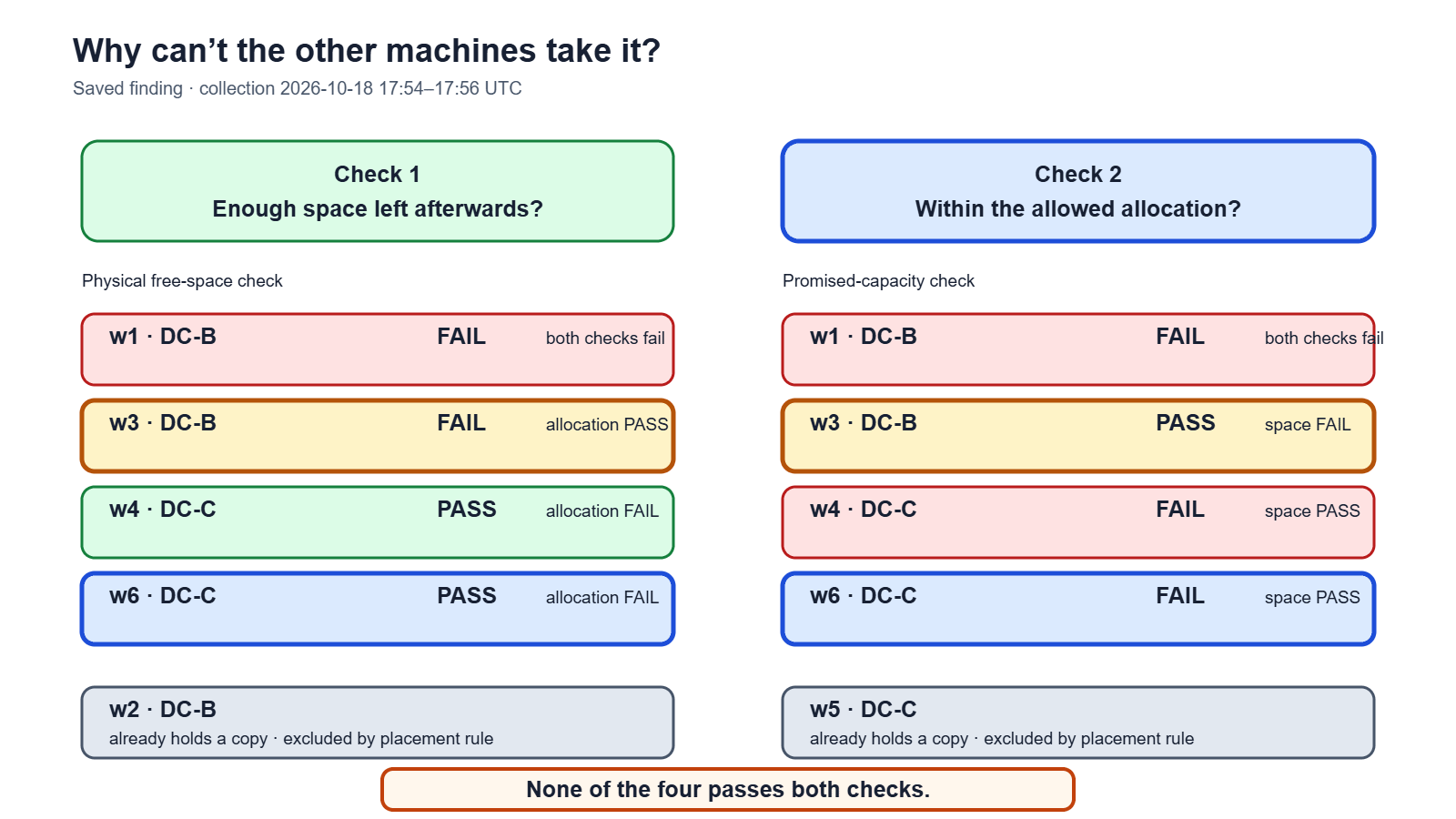
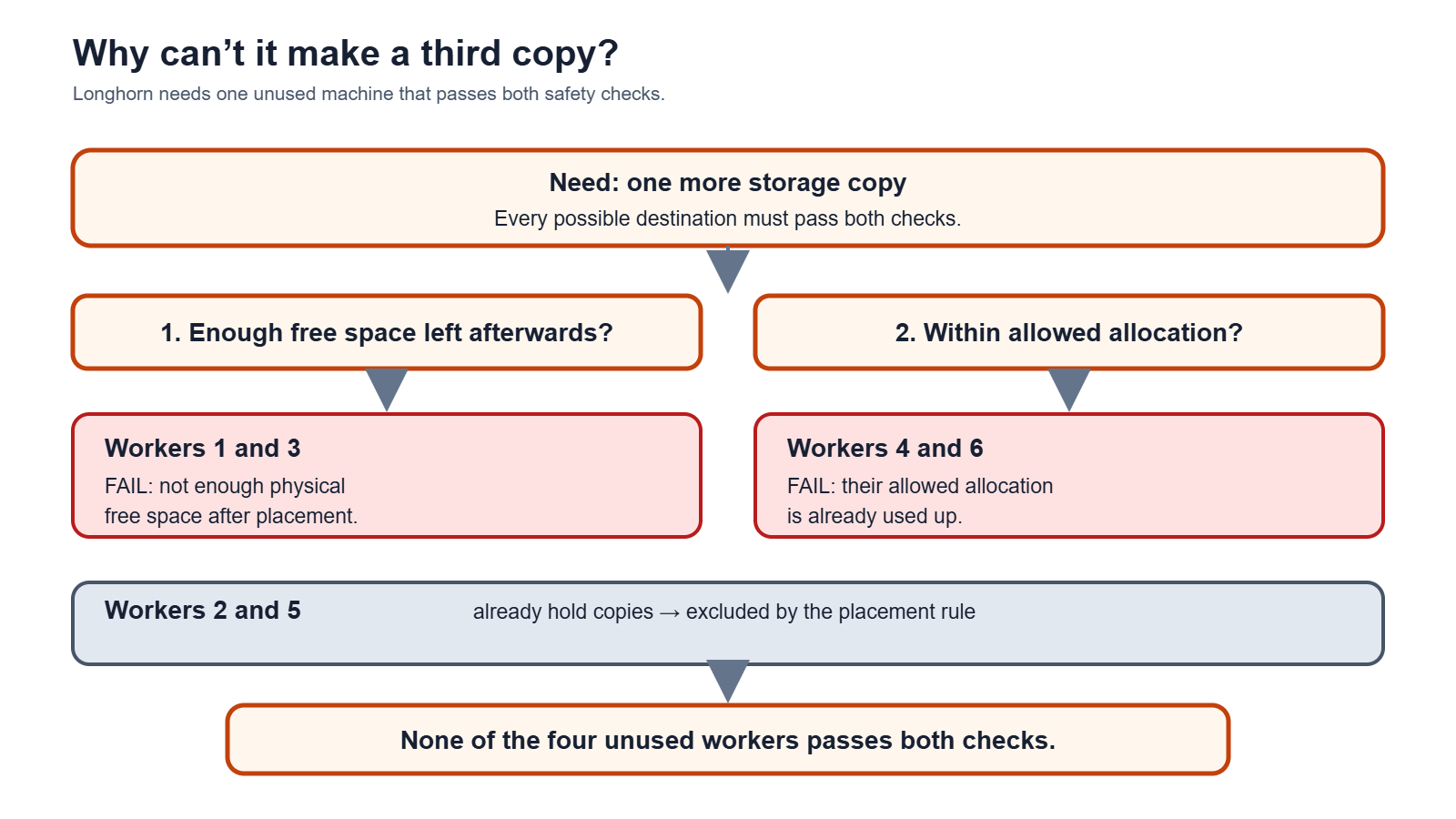
The report contained the answer, but it was a lot to read through.
So I asked NetClaw to generate a simple diagram showing why the third copy couldn’t be made.
That made the explanation easier to follow. We could see the two checks, which machines failed them, and which machines already held copies.
This is another useful role for an agent. After gathering the information, it can help present it in a form we can understand and share.
The diagram still needs checking against the evidence. A tidy picture can be wrong. But a checked diagram gives the next engineer somewhere to start without having to reconstruct the investigation from a terminal conversation.
Making more storage available
The investigation pointed toward adding capacity. I chose to increase the virtual disks in Proxmox, the platform running these lab machines.
There were two parts to that change.
First, I increased the disk size. Then I asked NetClaw to connect to the machines and expand the filesystems so Longhorn could use the additional space. The filesystem is the structure the operating system uses to store files on a disk.
Making a virtual disk larger doesn’t necessarily make that extra space available to the software using it.
The recorded output confirmed filesystem expansion on workers 3, 4, 5 and 6. After that, Longhorn automatically started creating the third copy on worker 6.
That was a useful result. We had removed the obstacle that prevented Longhorn from placing the copy.
But we hadn’t finished verifying the repair.
A new copy has to finish copying
At the end of the recording, the new copy was about 15% through its rebuild.
It existed, but it was still receiving data. Longhorn continued to mark the storage as degraded while that work was underway.
So the result shown in this video is:
More storage became available, and Longhorn started rebuilding the missing copy.
Here we can see in our Grafana dashboard that after about the blue line returns to 3.
What I want to keep from this investigation
I didn’t have to remember every command needed to gather the information. I could ask questions, examine the answers and follow up where something didn’t make sense.
I still had to understand enough to check the explanation and decide what to change.
For me, the longer-term value is the record we can leave behind: what we observed, why the third copy was blocked, what changed, and what still needs verification.
That helps with the knowledge gaps that appear when the person who built something isn’t available. It can also help when that person is you, a few months later, trying to remember what you configured.
An agent can’t recover a design decision nobody documented. We still need to record those decisions ourselves. But it can help us gather the evidence and turn what we learn into something another person can use.
We started with a warning and two copies where we wanted three. By the end of the video, we understood the blocker and had the third copy rebuilding.